1. Visit the JibaoProxy official website and register or log in to your account.
(New users receive $10 upon registration)

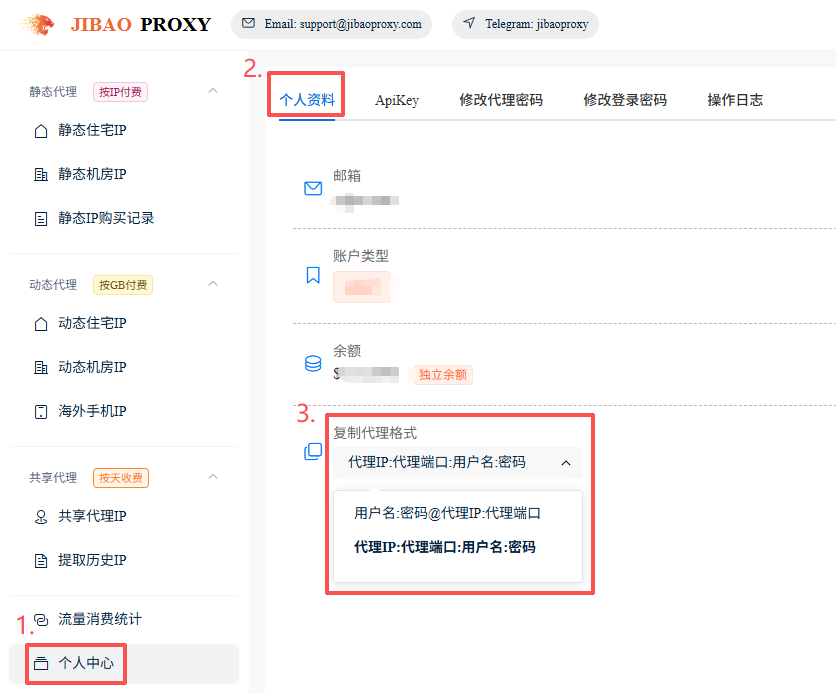
2. Select the proxy format:
Profile → Personal Profile → Copy Proxy Format → Select the required format.
The system will automatically save your selection.
① Proxy IP:Port:Username:Password
② Username:Password@Proxy IP:Port
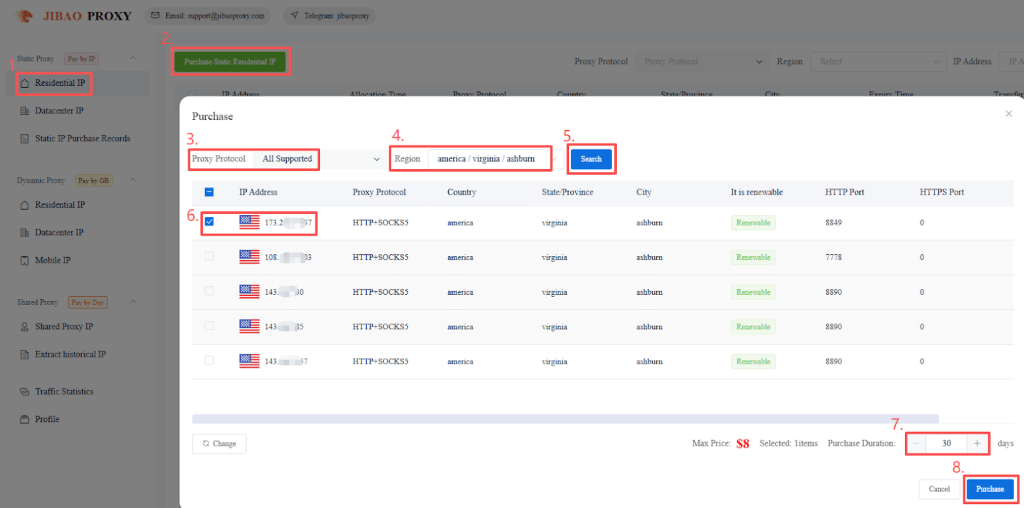
3. Obtain proxy IP details:
- Click “Residential IP” on the left sidebar
- Click “Purchase Static Residential IP”
- Choose “Proxy Protocol” and “Region”, then click “Search”
- Select the “IP(s)” and “usage duration”, then click “Purchase”
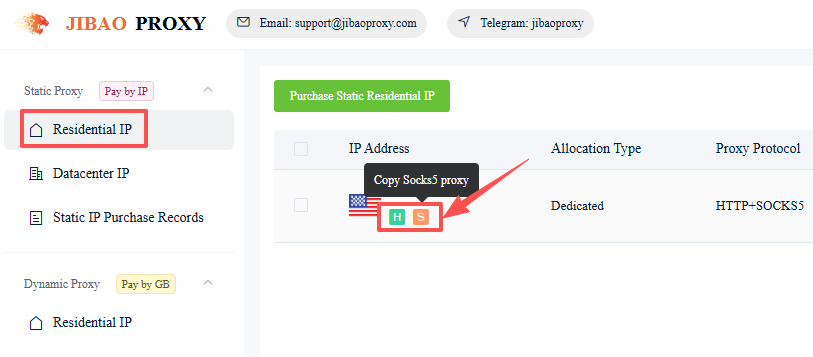
4. Copy the details of the purchased proxy:
- Go to “Residential IP” on the left sidebar
- Click the icons below the selected IP to copy the proxy details
(HTTP / HTTPS / SOCKS5)
Fox example:
137.1**.***.**9:1000:ls*****0:qQ******aq
Proxy IP:Port:Username:Password