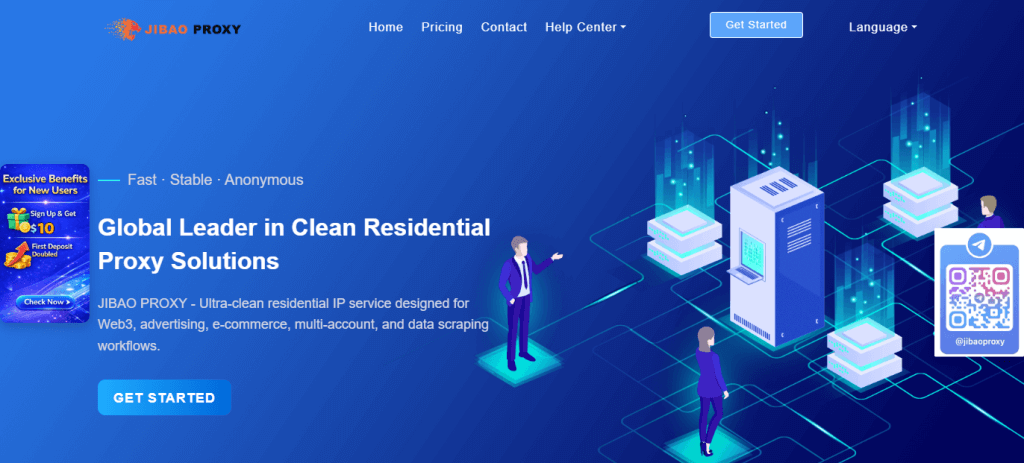
1. Visit the JibaoProxy official website and register or log in to your account.
(New users receive $10 upon registration)
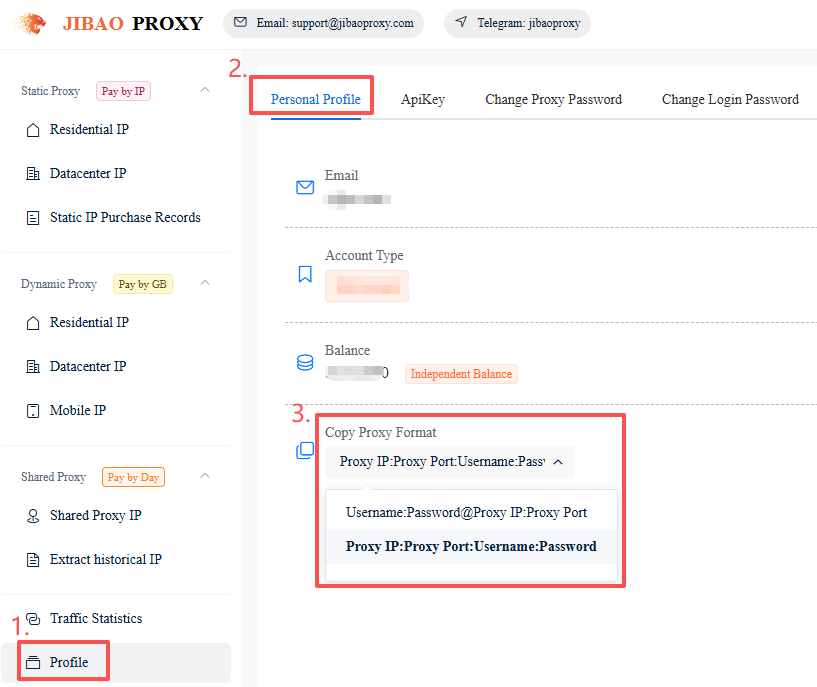
2. Select the proxy format:
Profile → Personal Profile → Copy Proxy Format → Select the required format.
The system will automatically save your selection.
① Proxy IP:Port:Username:Password
② Username:Password@Proxy IP:Port
3. Choose the appropriate proxy type.
(Static Residential / Datacenter, Dynamic Residential / Datacenter, Mobile 4G/5G)
4. Obtain proxy IP details:
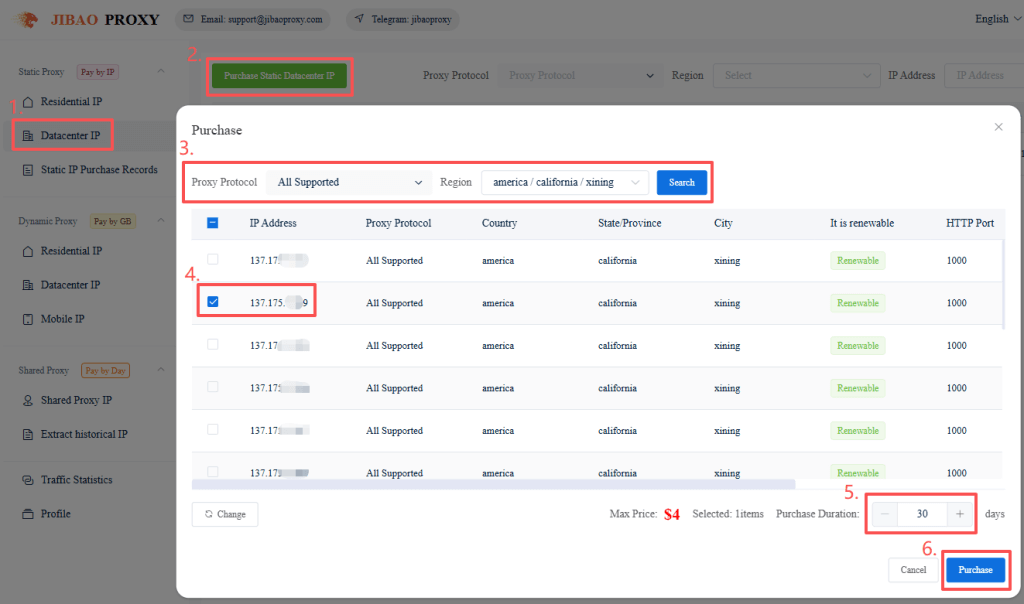
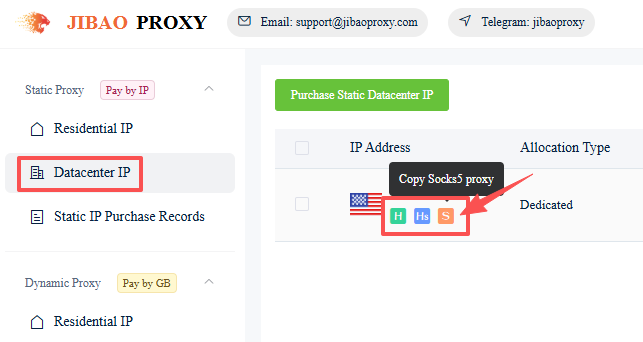
① Static IP (Datacenter IP example):
- Click “Static Datacenter IP” on the left sidebar
- Purchase Static Datacenter IP
- Select the IP(s) and usage duration, then click “Purchase”
- Go to “Static Datacenter IP” or “Static IP Purchase Records”
- Click the icons below the selected IP to copy the proxy details
(HTTP / HTTPS / SOCKS5)
Fox example:
137.1**.***.**9:1000:ls*****0:qQ******aq
Proxy IP:Port:Username:Password
② Dynamic IP (Residential IP example):
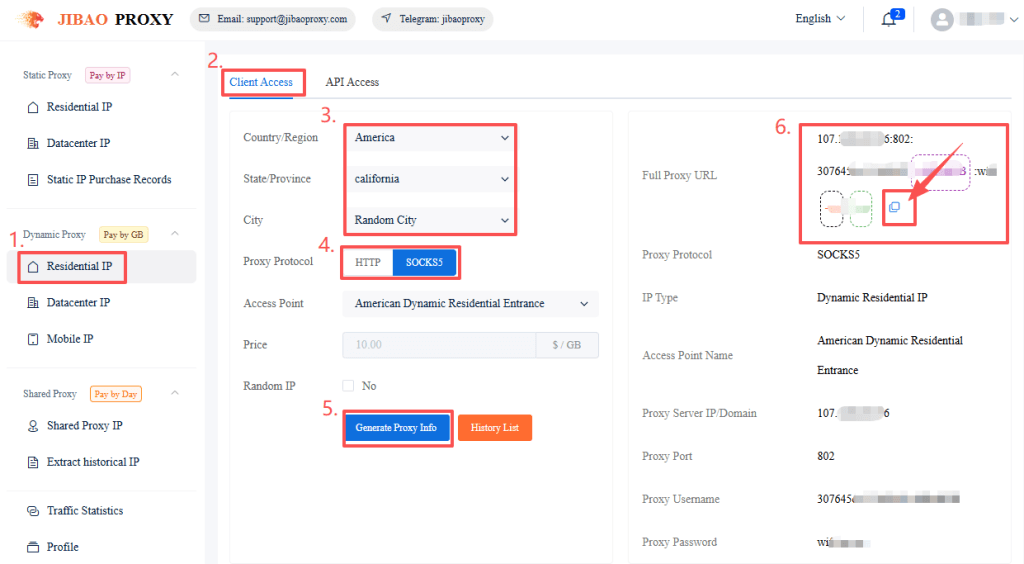
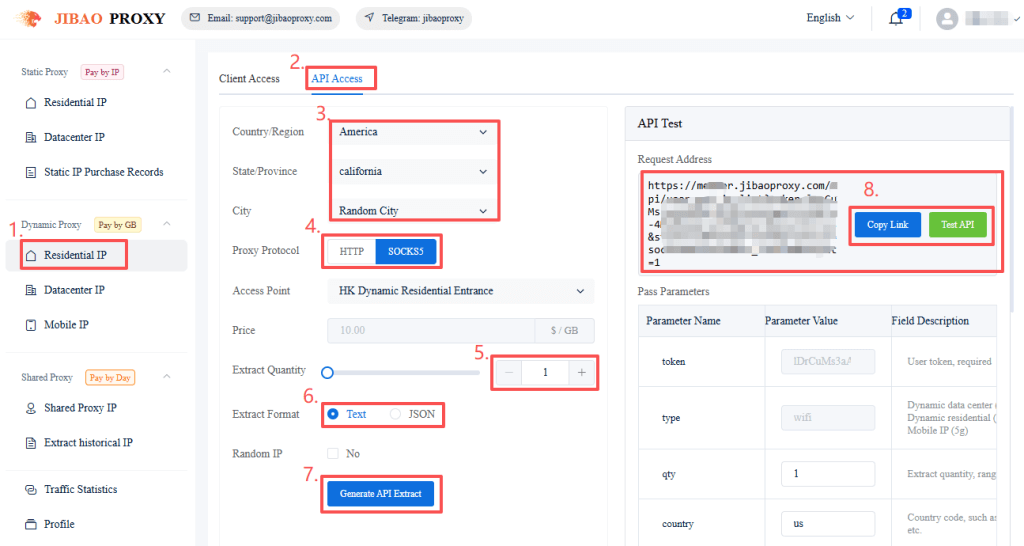
Click “Dynamic Residential IP” on the left sidebar:
(1) Client Access → Choose region, proxy protocol, etc → Generate Proxy Info → Copy the proxy details directly or from the History List (Supports HTTP / SOCKS5)
(2) API Access → Choose region, proxy protocol, etc → Enter the quantity and format to extract → Click “Generate API Extract” → Copy the link.
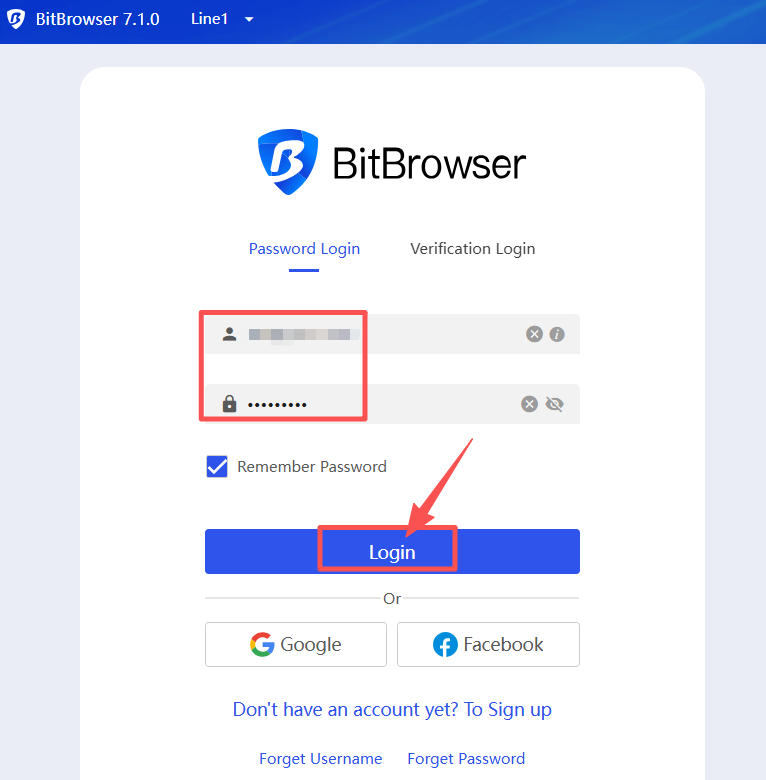
5. Download and register Bitbrowser, then log in to the client (10 profiles free).
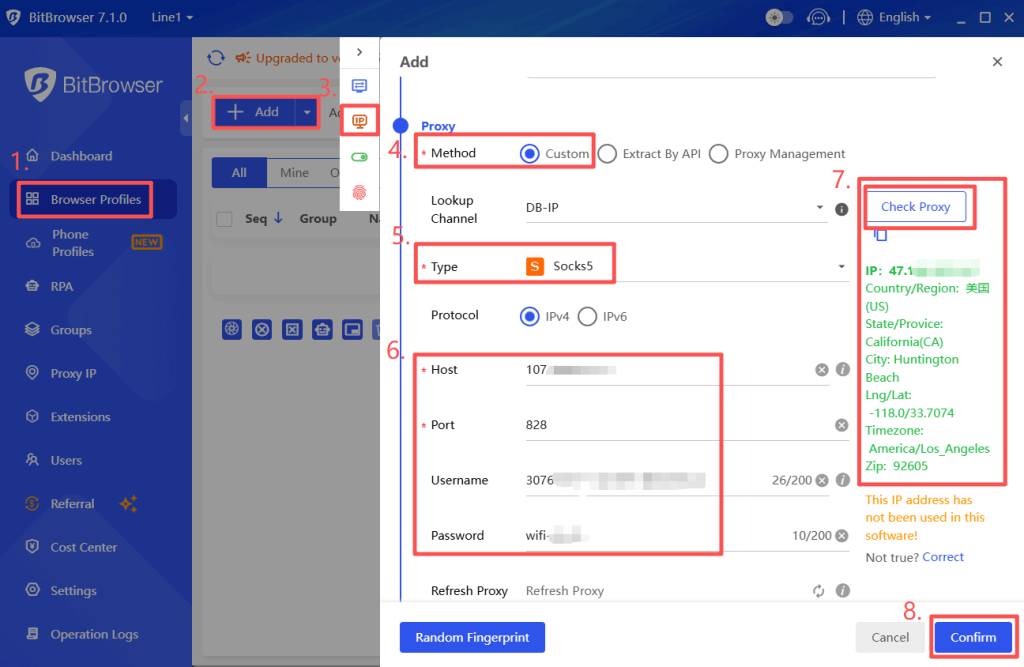
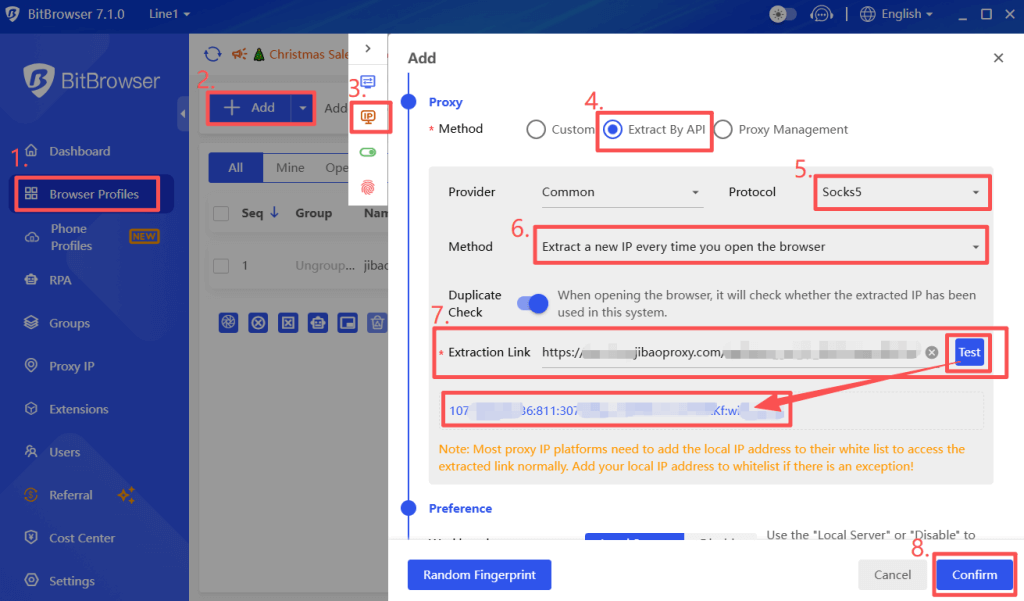
6. In the left sidebar, click “Browser Profile” → “Add” browser → Set the “Proxy”:
① “Custom” the proxy→ select the Proxy Type → Paste the JibaoProxy information → click “Check Proxy” → click “Confirm” to save the browser profile.
② Extract by API → select the Protocol, Method etc, → Paste the extracted link from the JibaoProxy platform → click “Test” → click “Confirm” to save the browser profile.
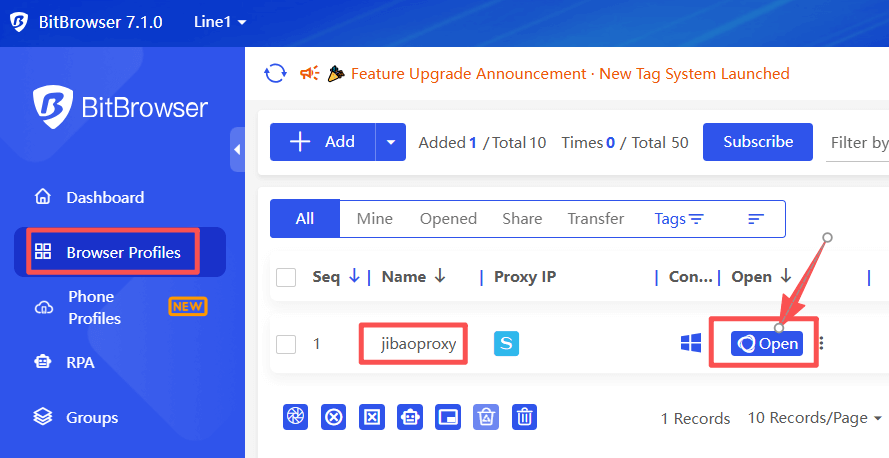
7. In the browser list, click “Open” to start using the browser.