This guide will walk you through a complete Jibao Proxy usage process.
Even if this is your first time using proxy IPs, you can successfully get started in just 3 minutes.
1. What You Need Before Getting Started
Before you begin, please make sure you have the following:
- A registered Jibao Proxy account
- An overseas network environment (Mainland China IPs cannot access the registration or usage pages)
- A web browser (Chrome / Edge / Firefox recommended)
2. Register and Log In
1️⃣ Visit the official website: www.jibaoproxy.com
2️⃣ Click “Get Started” or “Start Using” on the homepage
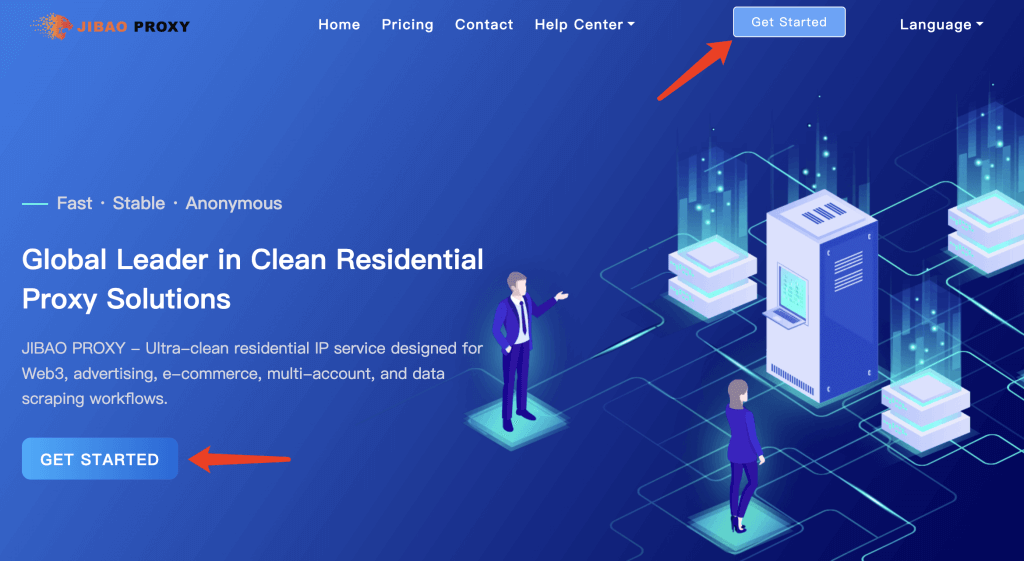
3️⃣ Follow the on-screen instructions to complete registration
(If you don’t have an invitation code, you may leave it blank)
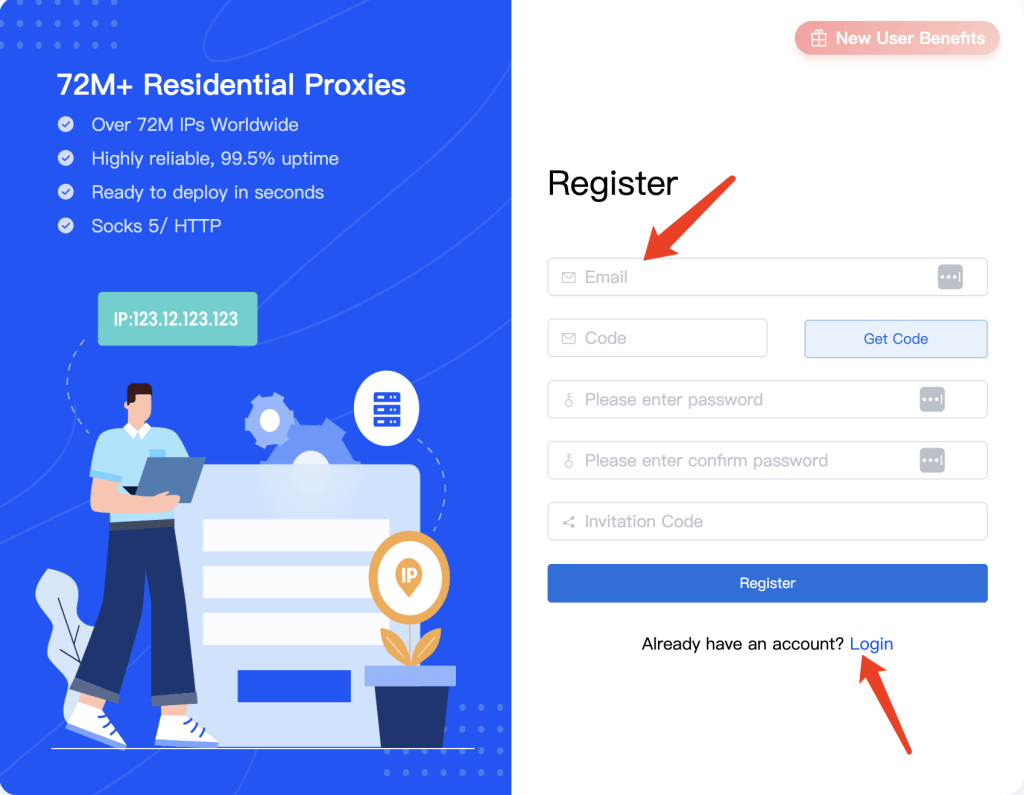
4️⃣ After registration, log in to the dashboard using your account credentials
3. New User Bonus & Account Balance
🎁 New User Bonus
After successful registration, the system will automatically credit 500MB in trial balance to your account.
This balance can be used to test Overseas Dynamic Residential IPs.
No immediate recharge is required — you can start testing right away.
4. Create and Use Dynamic Residential IPs
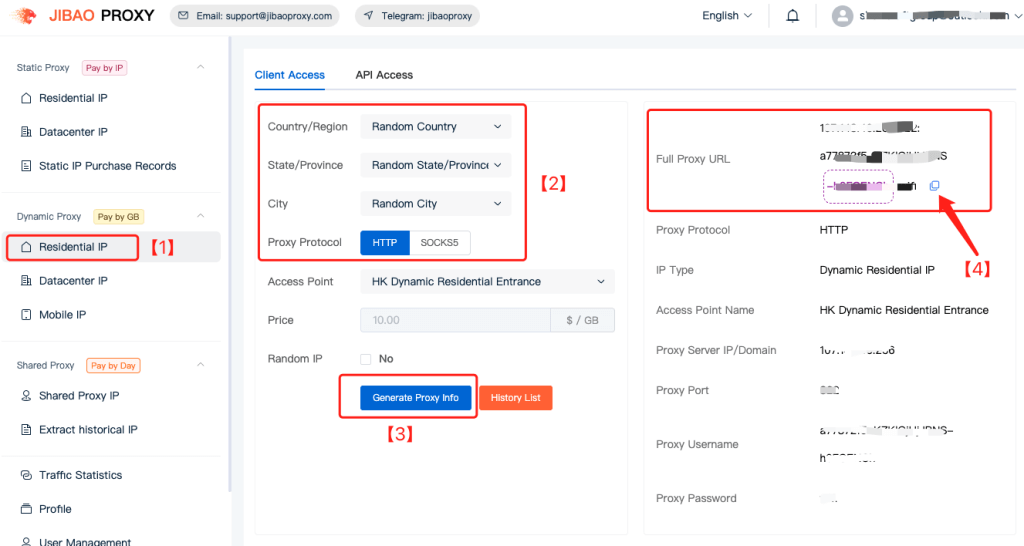
1️⃣ Go to the Dashboard
2️⃣ Select Dynamic Residential IP
3️⃣ Choose a Country / City
4️⃣ Select a Proxy Protocol
5️⃣ Click “Generate Proxy”
6️⃣ Copy the proxy address displayed on the right and start using it
5. Recharge Your Account
🎉 First Recharge Bonus: 20% Extra Credit
Your first recharge qualifies for a 20% bonus, and the balance can be used for all available proxy products.
Recharge Steps #
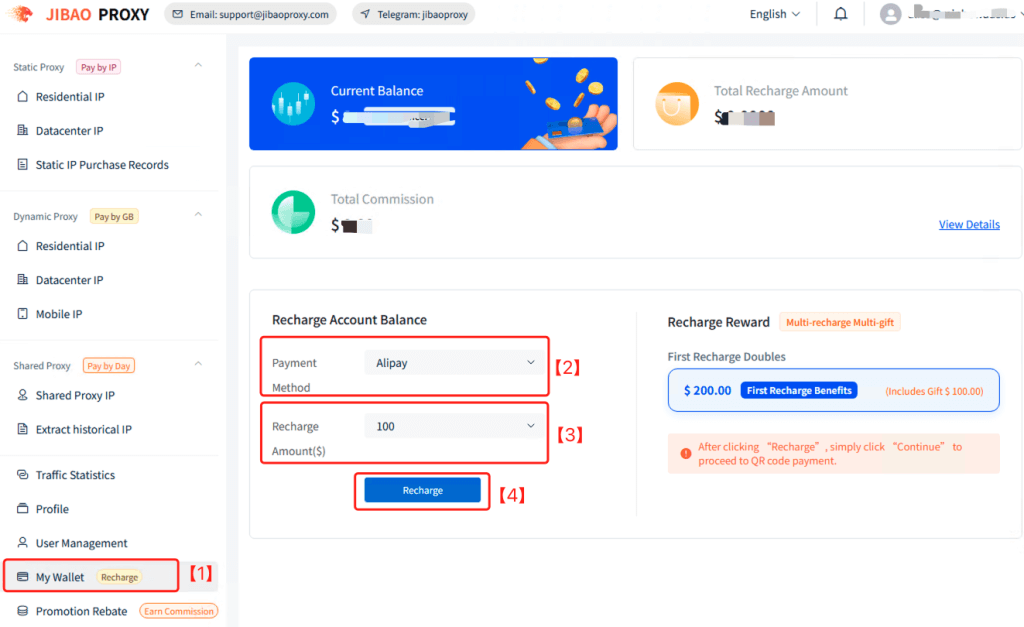
1️⃣ In the Dashboard, click “My Wallet” in the bottom-left corner
You will see your current balance and recharge options.
2️⃣ Select a payment method:
- Alipay
- Cryptocurrency
3️⃣ Choose a recharge amount from the dropdown menu:
- Minimum: $20
- Maximum: $5,000
- For larger amounts, please contact support: @jibaoproxy
4️⃣ Confirm the payment method and amount, then click Pay.
You will be automatically redirected to the corresponding payment page.
Payment Method Details #
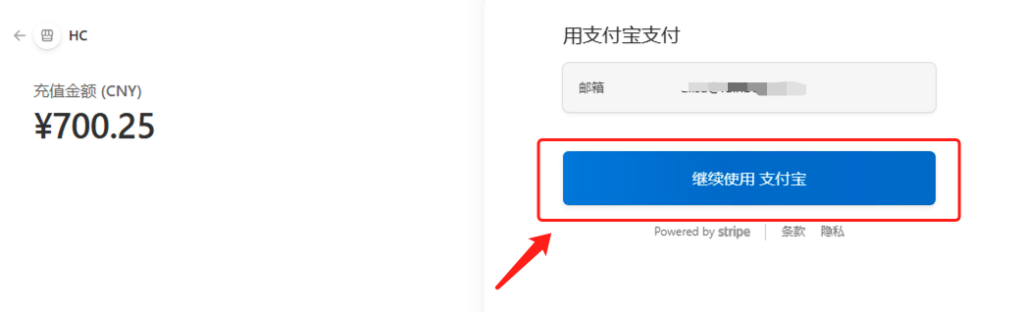
Alipay Payment
After selecting Alipay, you will be redirected to the payment page.
No need to fill in or modify any email information.
Simply click “Continue with Alipay”, scan the QR code, and complete the payment.
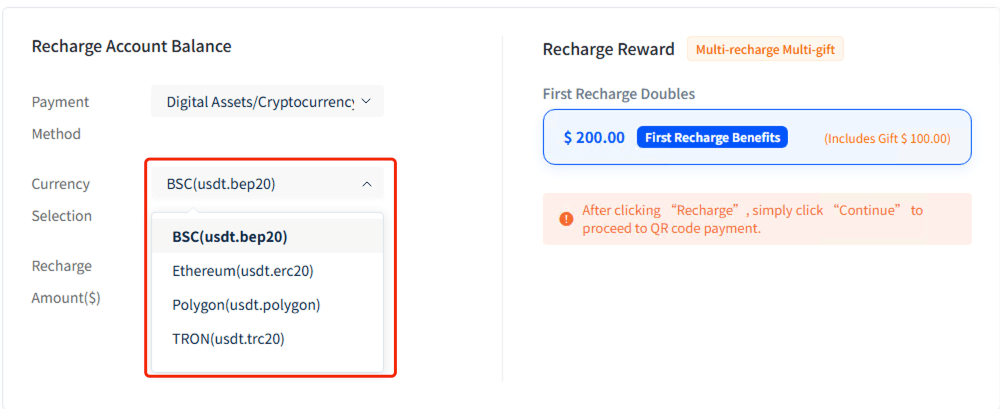
Cryptocurrency Payment
Select your preferred cryptocurrency.
Supported payment: USDT
Supported networks: BSC / Ethereum / Polygon / Tron
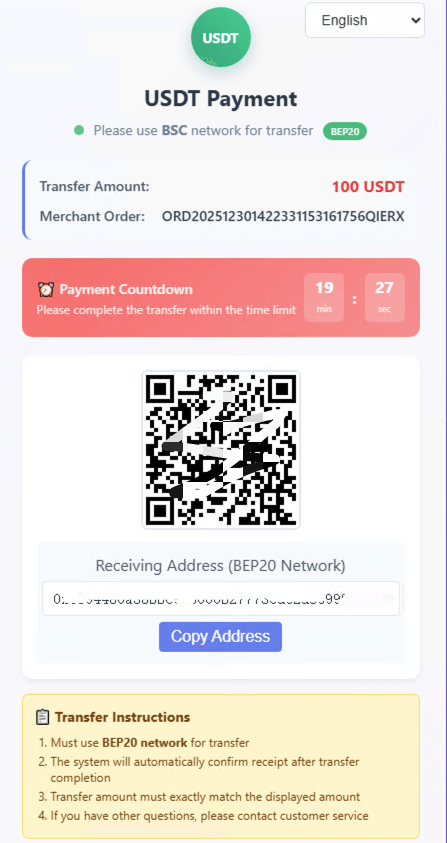
Click Recharge to proceed to the payment page, copy the receiving address, and complete the transfer.
Next Steps — Choose Your Proxy Type #
- Dynamic Residential IP — Auto-rotating, most popular
- Static Residential IP — Fixed high-anonymity proxy
- Dynamic Datacenter IP — High-speed rotating proxy
- Static Datacenter IP — Stable data center proxy
- Mobile IP — 4G/5G mobile proxy
- Shared Proxy IP — Budget-friendly option
Supported Tools #
- Browsers: Chrome | Firefox
- Antidetect Browsers: AdsPower | Multilogin | Bitbrowser | VMLogin | MuLogin | Kameleo | XLogin
- Mobile: Shadowrocket | V2RayNG | NeKoBox


 JIBAO PROXY

 English
 简体中文
简体中文 日本語
日本語 한국어
한국어 Español
 Français
 Русский
 العربية
 বাংলা
বাংলা فارسی
فارسی हिन्दी
 Filipino
 اردو
اردو Português
 ไทย
ไทย Tiếng Việt
 繁體中文
繁體中文
