1. Bisitahin ang opisyal na website ng JibaoProxy at magparehistro o mag-log in sa iyong account.
(Ang mga bagong user ay makakatanggap ng 500MB sa pagpaparehistro)

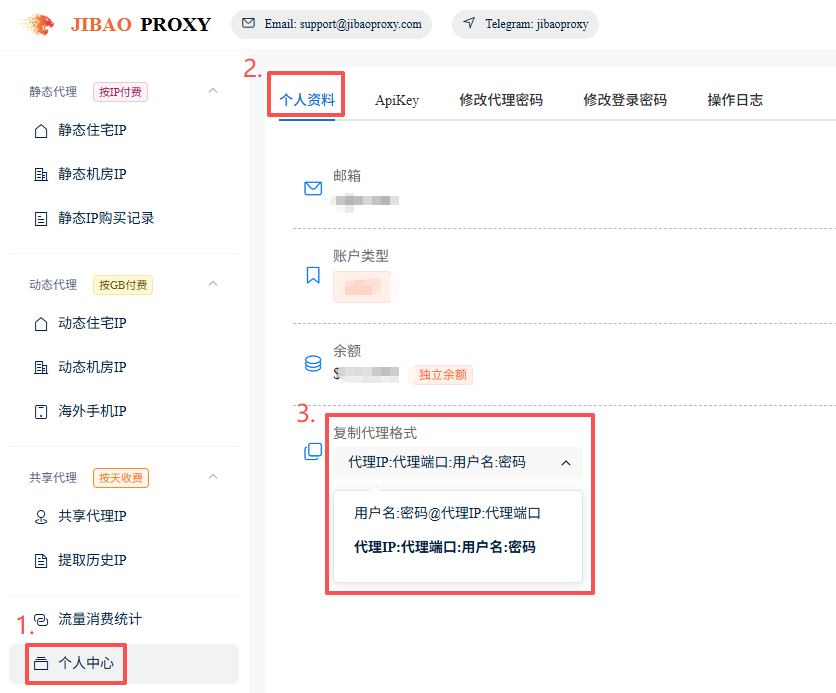
2. Piliin ang proxy format:
Profile → Personal Profile → Copy Proxy Format → Piliin ang kinakailangang format.
Awtomatikong ise-save ng sistema ang iyong pinili.
① Proxy IP:Port:Username:Password
② Username:Password@Proxy IP:Port
3. Piliin ang naaangkop na uri ng proxy.
(Static Residential / Datacenter, Dynamic Residential / Datacenter, Mobile 4G/5G)
4. Kunin ang mga detalye ng proxy IP:
① Static IP (halimbawa ng Datacenter IP):
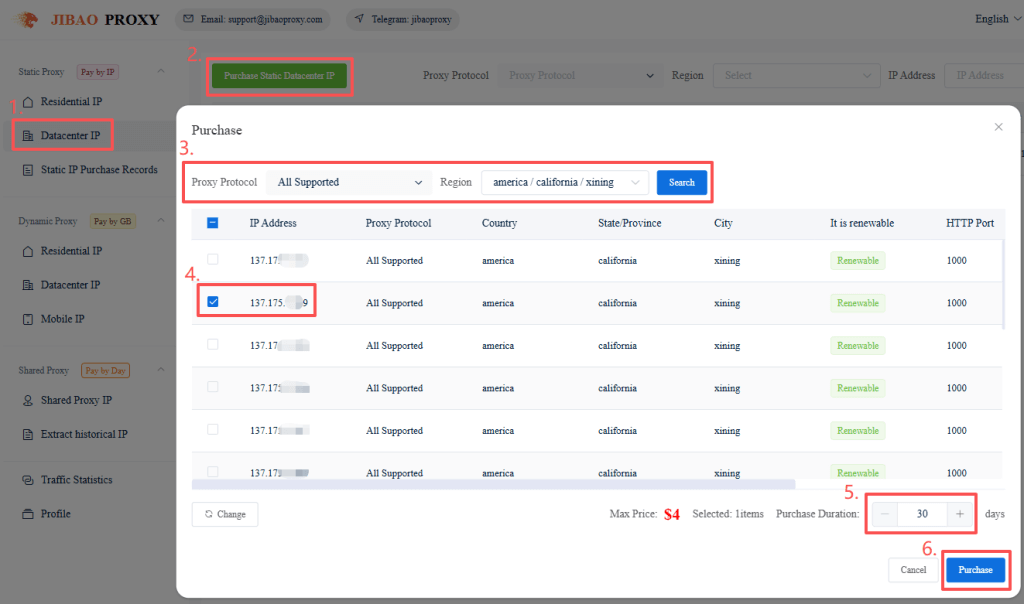
- I-click ang “Static Datacenter IP” sa kaliwang sidebar
- Bumili ng Static Datacenter IP
- Piliin ang IP(s) at tagal ng paggamit, pagkatapos ay i-click ang “Purchase”
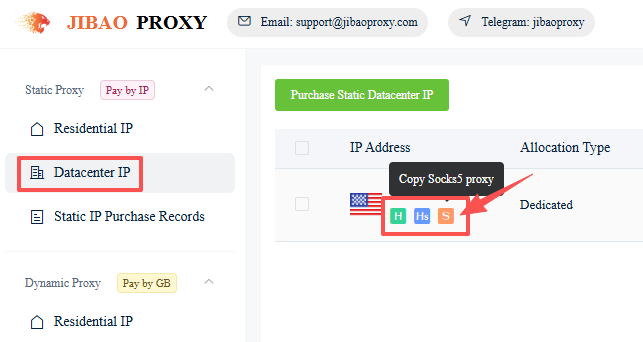
- Pumunta sa “Static Datacenter IP” o “Static IP Purchase Records”
- I-click ang mga icon sa ibaba ng napiling IP upang kopyahin ang mga detalye ng proxy
(HTTP / HTTPS / SOCKS5)
Halimbawa:
137.1**.***.**9:1000:ls*****0:qQ******aq
Proxy IP:Port:Username:Password
② Dynamic IP (halimbawa ng Residential IP):
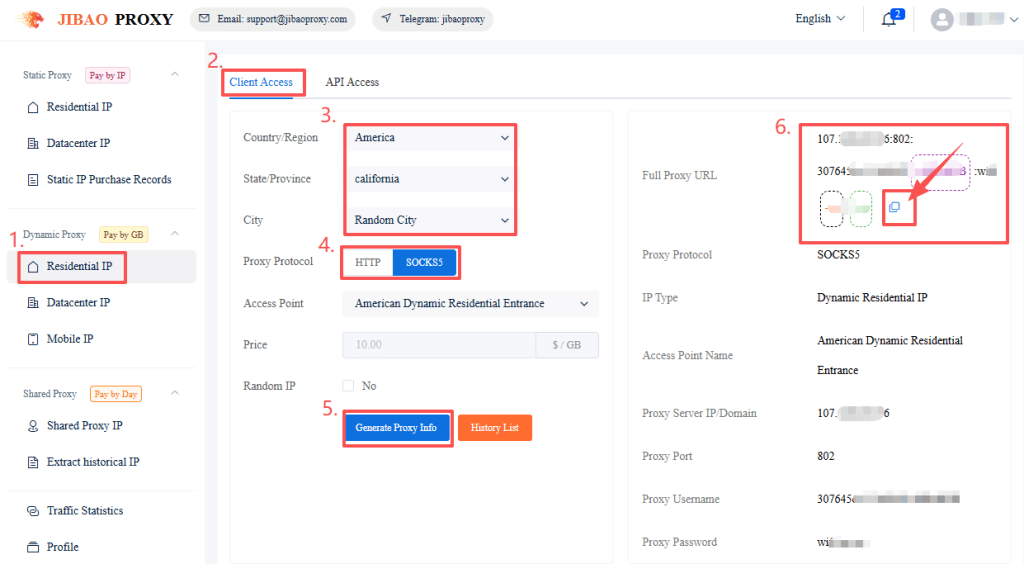
- I-click ang “Dynamic Residential IP” sa kaliwang sidebar
- Piliin ang “Client Access”
- Pumili ng rehiyon, proxy protocol, atbp.
- I-click ang “Generate Proxy Info”
- Kopyahin ang mga detalye ng proxy nang direkta o mula sa History List
(Sumusuporta sa HTTP / SOCKS5)
5. I-download at magparehistro sa MuLogin, pagkatapos ay mag-log in sa client (Sumusuporta sa Libreng Trial).
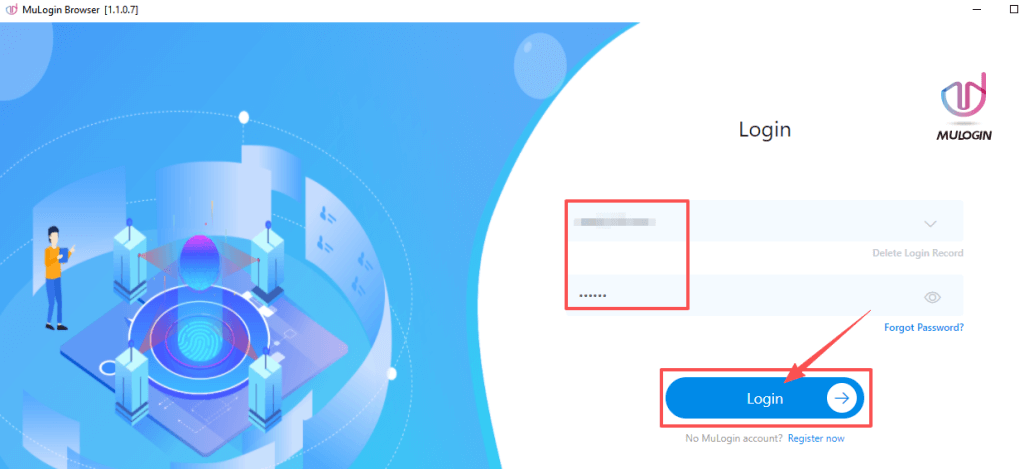
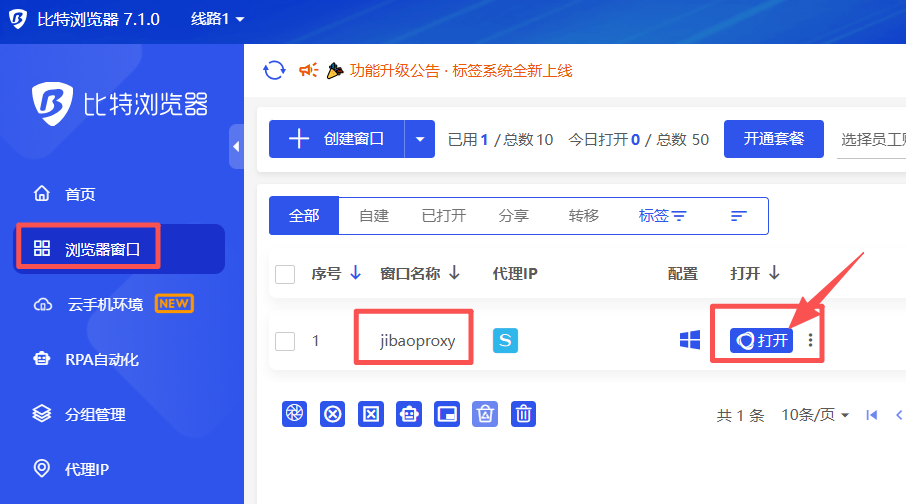
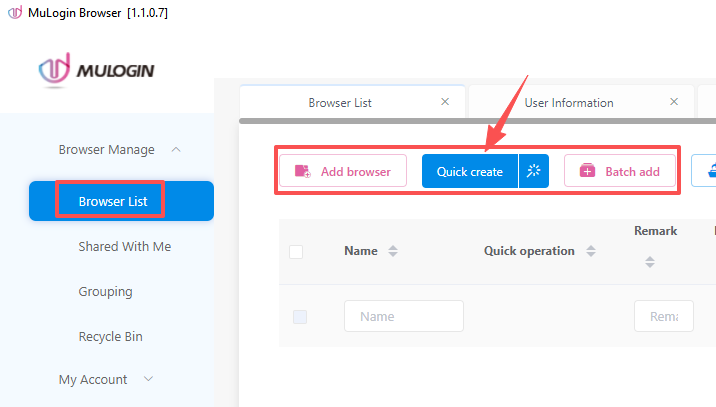
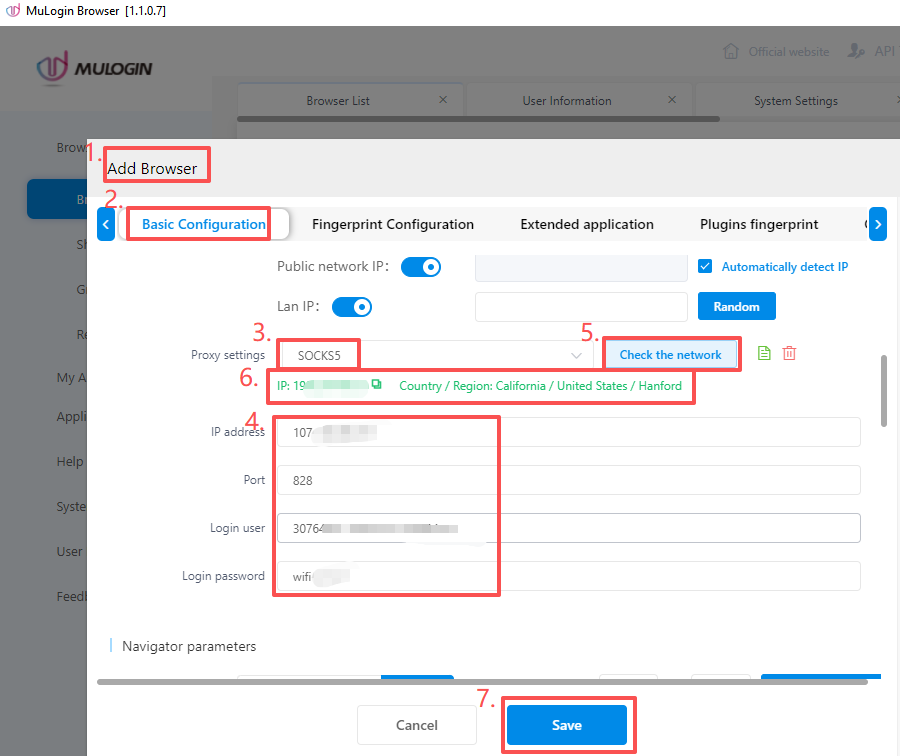
6. Sa kaliwang sidebar, i-click ang “Browser List” → Magdagdag ng browser → Proxy settings → Proxy type → I-paste ang impormasyon ng JibaoProxy → i-click ang “Check the network” → i-click ang “Save” upang i-save ang profile.
7. Sa listahan ng browser, i-click ang “Open” upang simulang gamitin ang browser.
Get Your Proxy IP First #
Before configuring, get your proxy credentials from JibaoProxy:
- Shared Proxy IP
- Mobile IP
- Dynamic Datacenter IP
- Dynamic Residential IP
- Static Datacenter IP
- Static Residential IP


 JIBAO PROXY

 English
 简体中文
简体中文 日本語
日本語 한국어
한국어 Español
 Français
 Русский
 العربية
 বাংলা
বাংলা فارسی
فارسی हिन्दी
 Filipino
 اردو
اردو Português
 ไทย
ไทย Tiếng Việt
 繁體中文
繁體中文
